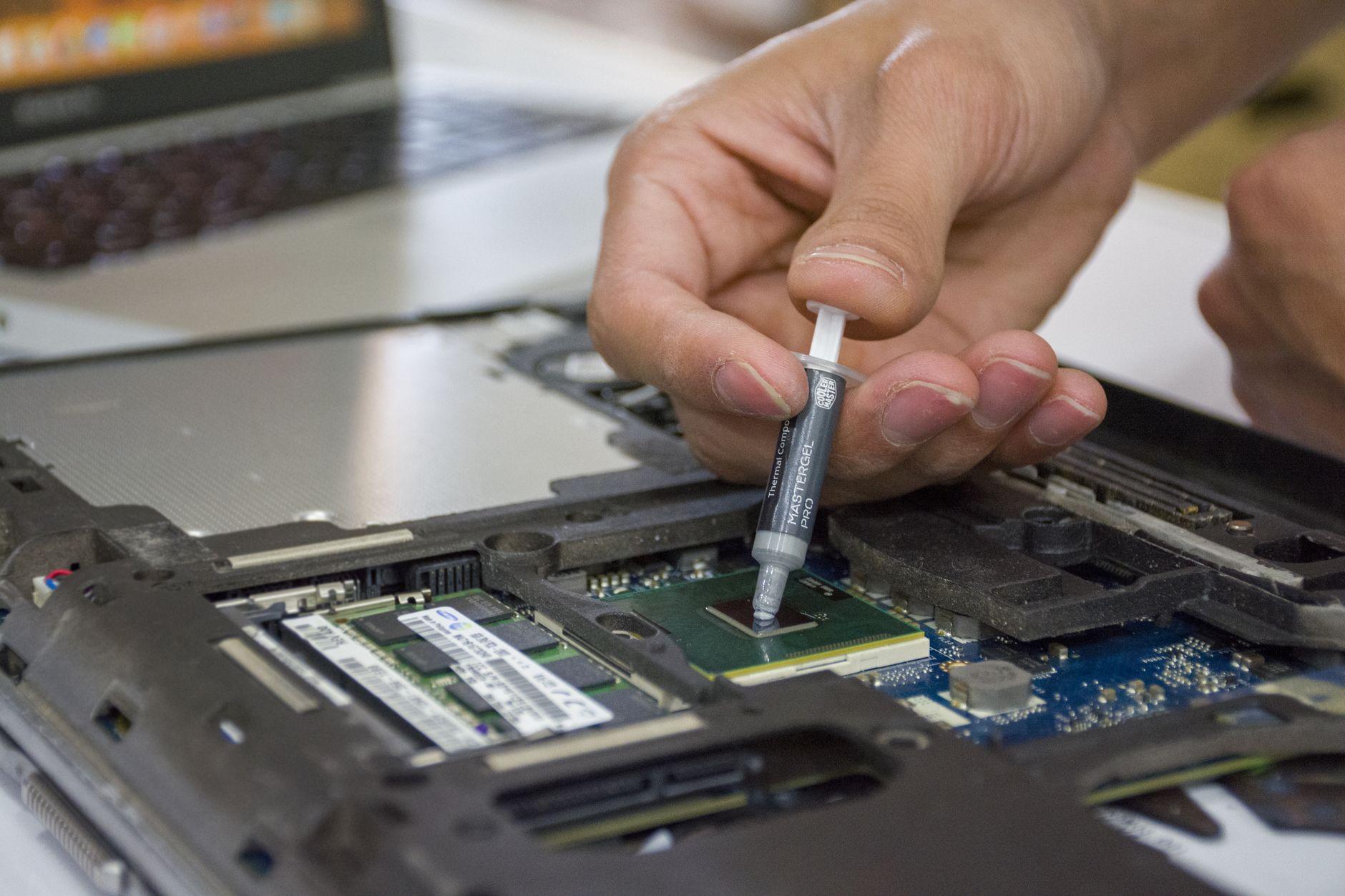

The Silent Scream of a Hot CPU: Why Your Thermal Paste Job Matters More Than You Think
I remember the first time I built a PC from scratch. I was so proud of myself, everything clicked into place, and I hit the power button. For a glorious few minutes, it worked. Then, my CPU fan started screaming like a banshee, and the screen went black. It turned out I’d been way too stingy with the thermal paste, applying just a tiny pea-sized dot. That experience taught me a harsh lesson: thermal paste application is a surprisingly crucial step in keeping your CPU temperatures in check. It’s not just about slapping some goo on; it’s about ensuring optimal heat transfer between your processor and its cooler.
When you’re installing a new CPU cooler, you’ll find a small tube of thermal paste. This stuff isn’t just fancy toothpaste; it’s a conductive material designed to fill microscopic gaps between the CPU’s integrated heat spreader (IHS) and the cooler’s baseplate. Without it, air pockets would form, acting like tiny insulators and preventing efficient heat dissipation. Your CPU would then overheat, leading to performance throttling or, worse, permanent damage. A good thermal paste application can mean the difference between your CPU running at a comfortable 50-60 degrees Celsius during heavy loads and it hitting a scorching 80-90 degrees Celsius or even more.
There are a few common ways people go about applying thermal paste, and honestly, some of them are just plain wrong. The “pea-sized dot” method, which I foolishly employed, is notoriously unreliable. You think it’ll spread evenly, but it often doesn’t. The pressure from the cooler might push it out too much around the edges, leaving a dry spot in the center, or it might not spread far enough to cover the entire CPU die. Then there’s the “line” method, where you draw a thin line across the CPU. This can be better, but it still relies heavily on the cooler’s mounting pressure to distribute it evenly, which isn’t always guaranteed.
My personal favorite, and the one I’ve had the most success with, is the X-pattern. You make two thin lines forming an ‘X’ across the CPU’s IHS. This method tends to distribute the paste more evenly when the cooler is mounted, ensuring good contact across the entire surface. I’ve seen temperature drops of 5-10 degrees Celsius just by switching from a bad pea-sized dot to a proper X-pattern application. It’s a simple technique that yields significant results. It’s genuinely frustrating how many people overlook this simple step and then wonder why their rig is constantly sounding like a jet engine.
However, it’s not all sunshine and rainbows. Over-applying thermal paste is also a problem. If you use way too much, it can squeeze out from under the cooler and potentially short out components on your motherboard. It’s a sticky mess, and while modern thermal pastes are generally non-conductive, it’s still an unnecessary risk. You want a thin, even layer, not a waterfall of goo. Most CPU coolers come with enough thermal paste for several applications, so don’t be afraid to practice if you’re nervous. You can often buy extra tubes for around $5 to $15 from most electronics retailers.
You might also be wondering about pre-applied thermal paste. Some CPU coolers, especially stock ones that come with pre-built systems or cheaper aftermarket options, have thermal paste already applied to the base. While convenient, this pre-applied paste is often a lower-quality compound and can dry out faster than a fresh application. For a truly optimal cooling experience and to avoid those dreaded high CPU temperatures, I’d always recommend cleaning off the pre-applied paste and applying your own, especially if you’re aiming for serious overclocking or just want your system to run quietly and efficiently. It’s a small effort for a significant reward.
The quality of the thermal paste itself also plays a role, with some high-end compounds promising better thermal conductivity than others. Companies like Arctic, Noctua, and Thermal Grizzly offer pastes with various performance characteristics. For example, Arctic MX-4 is a popular, affordable option that performs well for most users, while Thermal Grizzly Kryonaut is often cited as one of the best for extreme overclocking and enthusiasts seeking the absolute lowest temperatures, often costing around $10 to $25 for a small syringe. Investing in a good quality thermal paste can make a noticeable difference, especially under sustained heavy loads. You can find detailed comparisons on tech review sites, though for most everyday users, the difference between mid-range and top-tier pastes might be only a few degrees Celsius.
Ultimately, the application method is king. Even the most expensive thermal paste won’t perform well if applied incorrectly. The pressure from your CPU cooler is crucial for spreading the paste into that perfect, paper-thin layer. You’ll want to consult your CPU cooler’s manual for specific mounting instructions, as the mounting pressure can vary significantly between models. A poorly mounted cooler will exert uneven pressure, negating the benefits of even the best thermal paste. It’s a delicate balance, and sometimes, even with the best intentions, you’ll end up with a slightly imperfect spread.
So, next time you’re assembling a PC or swapping out a CPU cooler, don’t rush the thermal paste step. Take your time, choose a method that works for you, and ensure you’re not using too much or too little. A little attention to detail here can prevent a lot of headaches and keep your powerful CPU running at its best, humming along quietly instead of screaming for help. Forget the RGB lighting; a proper thermal paste job is the real secret to a happy computer.