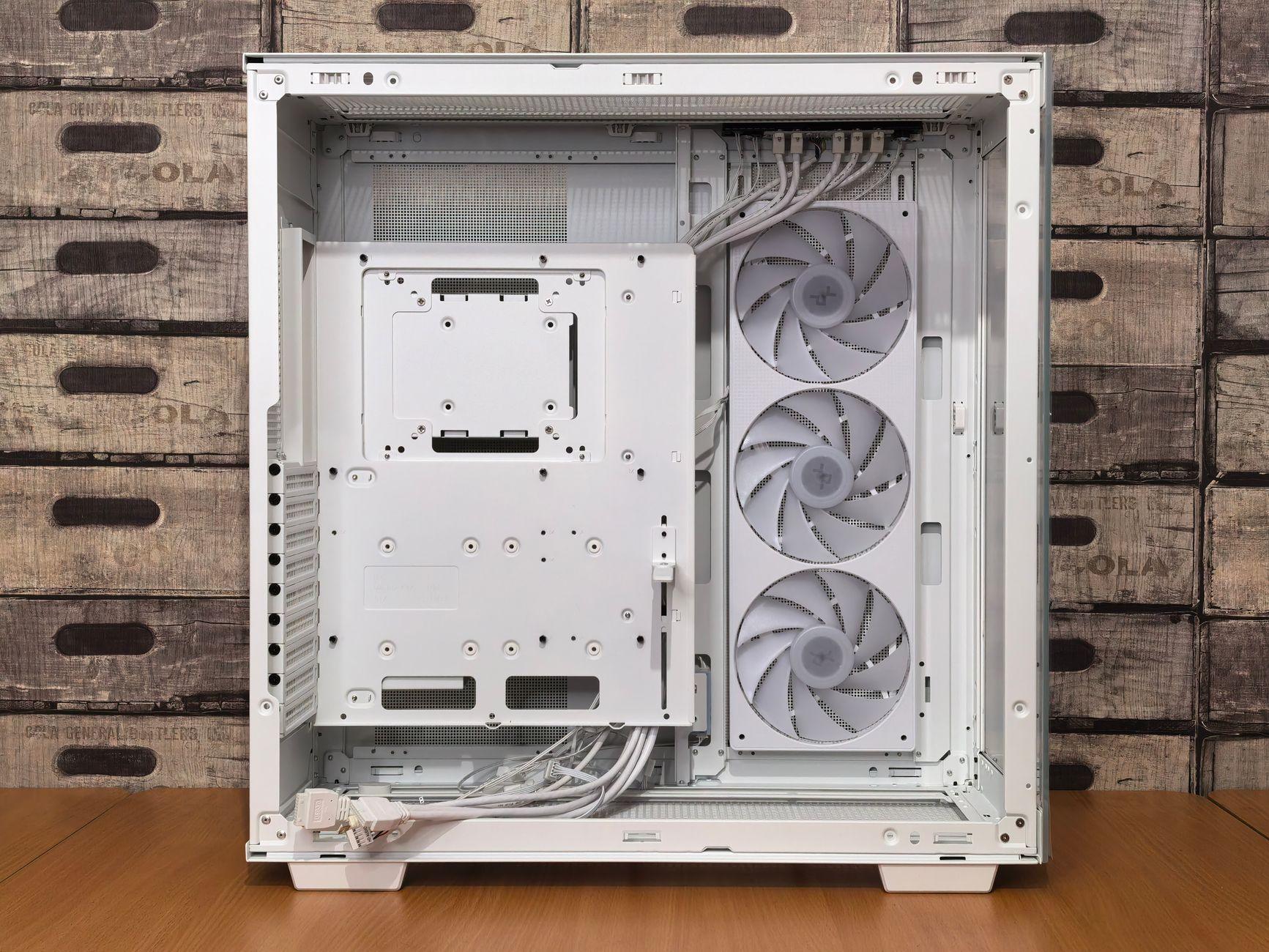

Untangling the Mess: How Taming Your Gaming Rig’s Innards Boosts Performance and Sanity
You wouldn’t believe the difference a bit of cable management made in my old build. I was running an absolute rat’s nest of wires behind the motherboard tray, and honestly, it looked like a spaghetti explosion. Then, one weekend, I decided enough was enough. I spent about three hours wrestling with zip ties and Velcro straps, and the change was, frankly, stunning.
That chaotic mess wasn’t just ugly; it was actively hindering my PC’s ability to breathe. Poor airflow is a real killer for gaming performance, especially when you’re pushing your CPU and GPU hard. All those loose cables create pockets of stagnant air, trapping heat where it absolutely doesn’t need to be. Think of it like wearing a thick wool sweater on a summer day – not exactly ideal for staying cool and performing at your peak. This can lead to thermal throttling, where your components intentionally slow themselves down to prevent overheating. I’ve seen systems lose 10-20% of their performance because of this.
Seriously, I was shocked at how much quieter my PC became after I organized everything. Before, my case fans were constantly roaring like a jet engine trying to push air through the jungle of wires. After cable management, they settled down to a gentle hum. It’s like the components could finally exhale. This improved cooling also means your components will likely last longer. Who wants to replace an expensive graphics card because it cooked itself? According to some estimates, good cable management can lower component temperatures by a solid 5-10 degrees Celsius.
It’s not all sunshine and rainbows, though. The biggest pain point for me is the time commitment. If you’re building a new PC, it’s the perfect time to do it, but retrofitting a system that’s already packed with components can be a real nightmare. You’ll be contorting yourself, dropping screws, and questioning all your life choices. I once spent an entire evening just trying to route a single SATA cable to the right spot, and let me tell you, frustration levels were through the roof. Sometimes, you just want to get back to gaming, not play hide-and-seek with your power supply connectors.
Using Velcro straps is my personal favorite way to go. They’re reusable, so if you need to add or remove something later, it’s no big deal. Zip ties work too, and they’re super cheap, but once you cinch them down, they’re pretty much permanent without a pair of cutters. Modular power supplies with detachable cables are a lifesaver for this. If you’re buying a new PSU, definitely spring for a modular one – it’s worth the extra $20 to $50. It makes routing and managing cables infinitely easier right from the start, as you only plug in the cables you actually need.
Beyond just the physical benefits, there’s a certain aesthetic appeal to a clean build. It’s like having a perfectly organized toolbox versus a jumbled mess. When you open up your gaming case for a dust-off or an upgrade, you want to see clean lines and clear pathways, not a bird’s nest of black and colorful wires. It makes troubleshooting way easier, too. If you get a strange error light or a component isn’t recognized, you can actually see what’s going on without having to untangle a GPU power cable that’s somehow wedged itself against a motherboard heatsink.
One common criticism is that some people simply don’t have enough cable routing space in their case. Older or budget cases can be notoriously cramped behind the motherboard tray. You might find yourself having to get creative, maybe even routing some cables across the front of the case, although that defeats the aesthetic purpose. This is where cable extensions can sometimes come in handy, allowing you to run cables from a more accessible point. But honestly, if you’re serious about PC building and want the best performance, investing in a case with good cable management features is a smart move, much like choosing a motherboard with sufficient RAM slots. A decent mid-tower case with good routing options can usually be found for around $70 to $100.
Ultimately, cable management isn’t just about making your PC look pretty. It’s a fundamental aspect of building a healthy, efficient, and long-lasting gaming rig. It’s about ensuring optimal cooling, reducing component stress, and making future maintenance a breeze. It’s the unsung hero of PC building, often overlooked by those chasing the latest CPU or GPU, but the impact is undeniable. And hey, if it stops your machine from sounding like a vacuum cleaner on its last legs, that’s a win in my book.