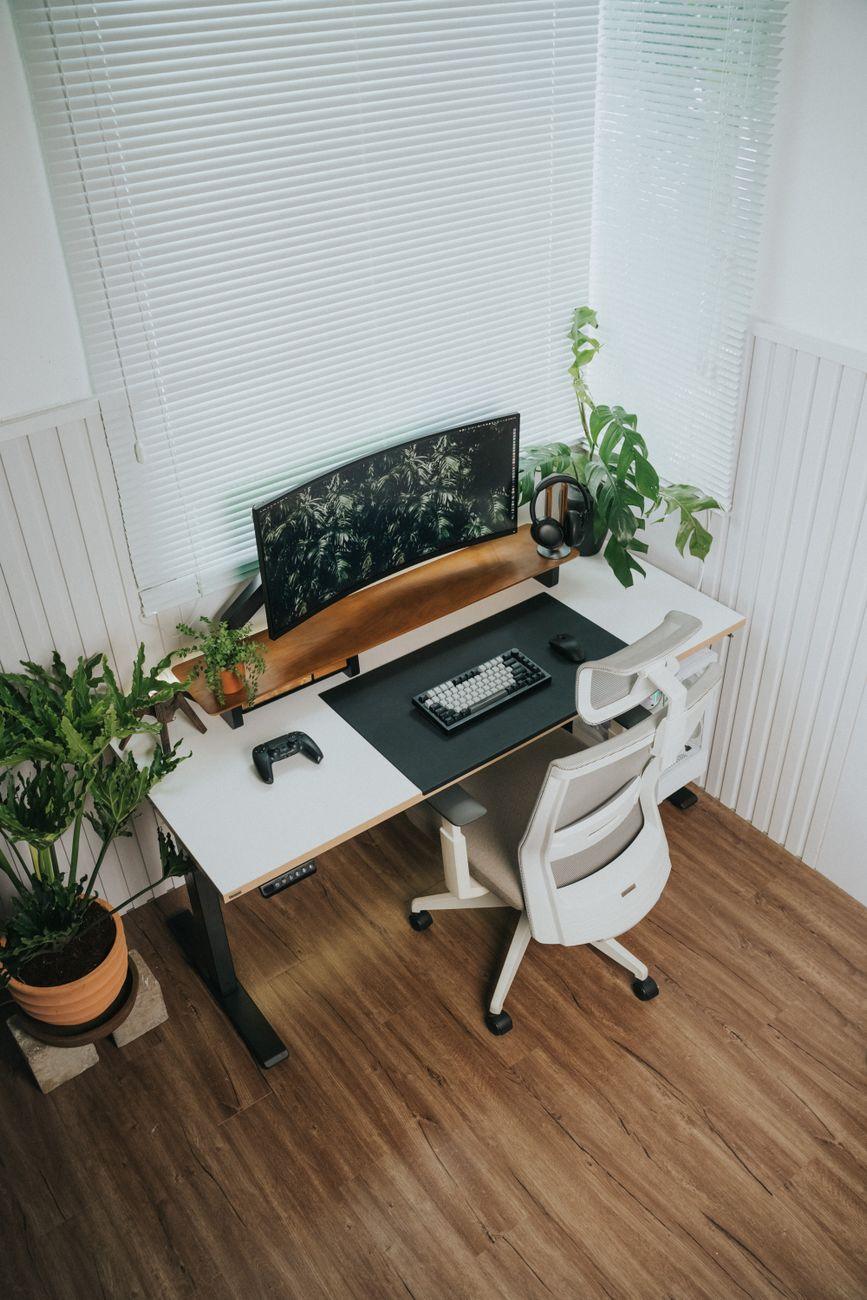

Conquer the Lag: Building Your Throne for Epic Gaming Marathons
You know that feeling, right? You’ve been glued to your screen for what feels like hours, your shoulders are hunched, your wrists are screaming, and suddenly that epic boss fight feels less epic and more like torture. That’s where ergonomic desk setups come in. They’re not just for office drones; they’re absolutely crucial for anyone planning to spend serious time in marathon gaming sessions. Think of it as upgrading your gaming rig, but for your body.
I once played for a solid 10 hours straight during a weekend raid, only stopping for quick bathroom breaks. By the end, I felt like a pretzel. My lower back was a wreck, and I had this weird tingling in my fingers that lasted for days. That’s when I realized my old setup, with its too-low desk and mismatched chair, was actively working against me. A proper ergonomic setup isn’t a luxury; it’s a performance enhancer for your physical well-being.
Seriously, if you’re dropping hundreds, even thousands, on a new graphics card or a fancy mechanical keyboard, you should be investing just as much thought, and frankly, cash, into your ergonomic chair. A good one can cost anywhere from $200 to $1,000, and trust me, your spine will thank you. Look for something with adjustable lumbar support, armrests that can be moved up and down and side-to-side, and a seat depth that allows for a few fingers’ width between the edge of the seat and the back of your knees. Brands like Herman Miller and Steelcase are pricey, but they’re practically legendary for a reason.
Then there’s your desk height. This is huge. Your elbows should be at about a 90-degree angle when your hands are resting on your keyboard and mouse. If your desk is too high, you’ll find yourself shrugging your shoulders constantly, leading to neck and shoulder pain. Too low, and you’re hunching over, creating all sorts of spinal issues. I’ve seen people use books and old boxes to prop up their desks, and while that’s a DIY solution, it’s usually a terrible, unstable fix. A height-adjustable desk, often called a sit-stand desk, is the gold standard. You can snag one for around $300 to $700 from companies like FlexiSpot or Uplift Desk.
Your monitor placement is another biggie. The top of your screen should be at or slightly below eye level. This prevents you from craning your neck up or down for extended periods. Ideally, the monitor should be about an arm’s length away. If you have multiple monitors, like many gamers do, arranging them in a comfortable arc rather than forcing yourself to turn your head back and forth is a smart move. I’ve seen setups where one monitor is way off to the side, and the gamer is constantly twisting. It’s a recipe for disaster. A monitor arm is a fantastic and relatively inexpensive tool for achieving perfect placement, often costing $50 to $150.
Now, about keyboard and mouse positioning. They should be close enough that you’re not constantly reaching. Your wrists should be in a neutral position, not bent up or down. This is where ergonomic keyboards and vertical mice come into play. Ergonomic keyboards often have a split design or a gentle curve to promote a more natural hand posture. Vertical mice keep your hand in a handshake position, which can alleviate pressure on the median nerve. I was initially skeptical about vertical mice – they look weird, honestly. But after using one for a few weeks, the ache in my wrist during long sessions significantly decreased. It’s one of those things that just feels right once you get used to it. The downside? Some people find them difficult to adapt to, and they can be a bit pricier than standard peripherals, sometimes $70 to $100.
It’s not just about the big items either; small adjustments make a world of difference. Using a wrist rest for your keyboard and mouse can provide crucial support and prevent pressure points. Make sure it’s not too bulky, though; you don’t want to be forcing your wrists into an unnatural angle. Also, consider footrests if your feet don’t comfortably reach the floor when sitting correctly in your chair. Little things like these add up to big comfort gains over hours of gameplay.
One of the biggest criticisms of ergonomic setups is the upfront cost. It’s true, investing in a good ergonomic chair, a sit-stand desk, and proper peripherals can easily run into the $1,000 to $3,000 range, which is a serious chunk of change. For many, especially younger gamers, that’s just not feasible. This is why many people stick with their current setups, despite the discomfort. It’s a real barrier, and I totally get it.
Despite all these amazing ergonomic tools, there’s a surprising number of people who simply refuse to adjust their habits. They’ll invest in the best chair, the best desk, and then proceed to slouch and fidget in ways that negate all the benefits. It’s like buying a Ferrari and then never driving it over 20 miles per hour.
Ultimately, though, the goal is to reduce strain and promote good posture, so you can focus on that clutch play or that critical quest objective, not on your aching body. Thinking about ergonomics for gaming is less about chasing trends and more about long-term health and sustained performance.
But honestly, all this talk about perfect posture and alignment? It’s easy to forget when you’re in the zone, and sometimes, just standing up and doing a few stretches in the middle of a match can be more effective than any fancy chair.