
From Dial-Up Speed to Light Speed: Why Ditching Your Old Hard Drive for NVMe is a Revelation
Man, I remember when my old computer took what felt like an eternity just to boot up. We’re talking minutes, not seconds. It was a spinning hard disk drive (HDD), the standard for ages. Then, I finally bit the bullet and upgraded to an NVMe SSD, and seriously, it was like I bought a whole new machine. The difference is just… astonishing.
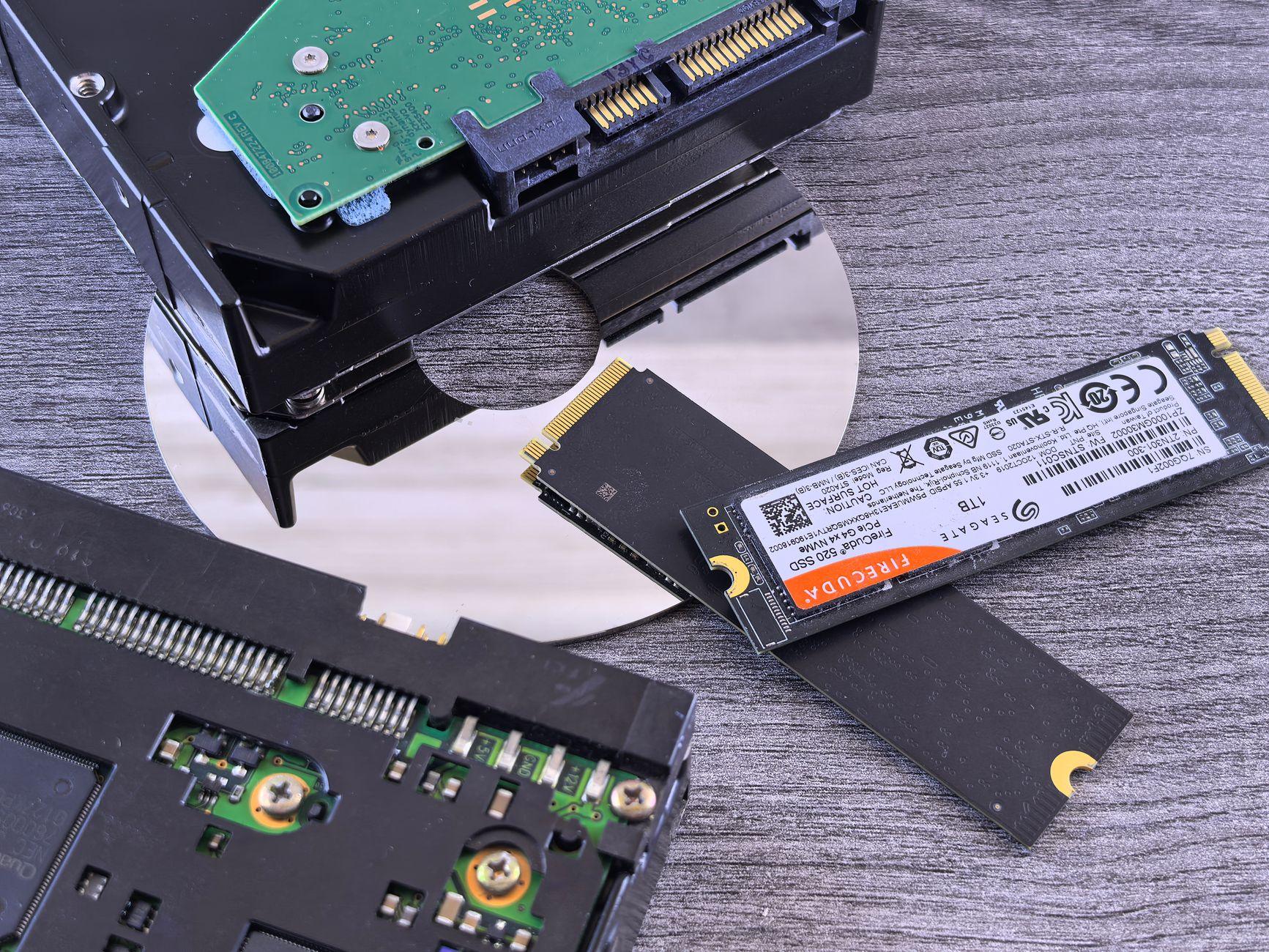
You see, those old HDDs are mechanical beasts. They have spinning platters and a read/write head that physically moves around. It’s like a tiny record player inside your computer. This mechanical nature is their biggest bottleneck. Accessing data isn’t instantaneous; the head has to move to the right spot on the platter. This physical limitation means boot times can drag, application loading is sluggish, and large file transfers feel like wading through mud. We’re talking HDDs typically offering sequential read speeds of around 100-200 megabytes per second (MB/s), and random access speeds that are even slower. It’s like trying to find a specific page in a massive, old library where you have to manually walk to each shelf.
Then you get to NVMe SSDs. NVMe stands for Non-Volatile Memory Express, and it’s a protocol designed specifically for solid-state storage. Unlike older SSDs that often used the SATA interface (which was designed for HDDs), NVMe connects directly to the CPU via PCIe lanes. This direct connection bypasses a lot of the old bottlenecks. You’re not dealing with tiny mechanical arms anymore; it’s all electronic. The result? NVMe SSDs can boast sequential read speeds that are 5 to 25 times faster than a typical HDD, often hitting 3,500 MB/s and even over 7,000 MB/s for newer models. Seriously, that’s not just an upgrade; it’s a whole new ballgame.
The most obvious benefit is the sheer speed boost. Opening your operating system, like Windows 11 or macOS, goes from a patient wait to near-instantaneous. You’ll click the power button, and by the time you’ve adjusted your chair, you’re staring at your desktop. Applications that used to chug along, like Adobe Photoshop or video editing software, will launch in a flash. Imagine editing a large 4K video file; instead of waiting minutes for it to load, you’re looking at seconds. This is a massive productivity win for professionals and even casual users who just want their computer to feel responsive. For a comparison, the average HDD might take 1-2 minutes to boot, while a good NVMe SSD can do it in 10-20 seconds.
Of course, it’s not all sunshine and rainbows. The biggest hurdle for most people is the cost. NVMe SSDs are still pricier per gigabyte than their HDD counterparts. You might find a 2TB HDD for around $50-$70, while a 2TB NVMe SSD can easily set you back $100-$150 or more, depending on the speed and brand. This price difference means that if you need massive storage for archiving, like storing tons of photos or large media libraries, a traditional HDD still makes a lot of sense, especially for secondary storage.
Another thing to consider is that not all computers can take full advantage of NVMe. You need a motherboard with an M.2 slot that supports NVMe PCIe. Older motherboards might only have SATA M.2 slots, which won’t give you the full NVMe speeds, or they might not have M.2 slots at all, requiring a PCIe adapter card. Plus, for day-to-day tasks like browsing the web or checking email, the difference might feel less dramatic if your internet connection is the real bottleneck. You won’t suddenly get gigabit internet just because you have a faster drive.
But for anything involving loading large files or applications, the difference is undeniable. I once tried to transfer a 100GB folder of game assets from an old external HDD to my NVMe SSD. With the HDD, it was a 20-minute ordeal. When I switched to copying it from another NVMe SSD (directly to my system drive), it was done in under 3 minutes. It genuinely made me say, “Wait, what? That can’t be right.” It’s that kind of tangible, jaw-dropping speed increase that makes the upgrade so compelling for many. Check out how storage technologies have evolved over at Wikipedia’s Solid-state drive page for a broader perspective.
The sheer speed of NVMe also dramatically improves things like gaming load times. If you’re a gamer, you know the pain of sitting on a loading screen for what feels like an eternity. With NVMe, those 5-minute loading screens can shrink to 30 seconds or less. It means more playing and less waiting. This is especially true for modern games that are designed with faster storage in mind. As outlined by Forbes, the future of computing is leaning heavily into these faster storage solutions.
Frankly, for anyone still relying solely on a spinning hard drive for their primary operating system and applications, you’re essentially hobbling a perfectly capable processor and RAM. It’s like putting the engine from a sports car into a Fiat Multipla and expecting it to win a race. You’re leaving a ton of performance on the table. It’s a bit frustrating, honestly, seeing people suffer through slow computers when a relatively straightforward upgrade can make such a profound difference. You can learn more about the financial implications of tech upgrades on Investopedia.
Ultimately, if you’re looking for that snappy, responsive computer experience, and your budget allows, upgrading from an HDD to an NVMe SSD is arguably the single most impactful hardware change you can make. It’s the closest you’ll get to feeling like you have a brand-new computer without actually buying one. It’s also possible that you might just miss the satisfying whirring and clicking sounds of your old mechanical drive.